HyMeRa Production

Selamat Datang, Welcome, Assalamu'alaikum ahlan wa sahlan, ようこそ , Hoan nghênh, Xush kelibsiz, Laskavo proschmo, Le amogetswe, ยินดีต้อนรับ, Maligayang pagdating, வாங்க, Wilkomme, Välkomna, Bienvenidos, Karibu, Dobrodošli, Vitajte, Добро пожаловать, Bun venit, Bem-vindos, Velkommen, tavtai morilogtun, Salve, Қош келдіңіз!, 환영합니다, Benvenuti/e, सवागत हैं, Willkommen, Bienvenue, Vítáme vás, 歡迎光臨, 欢迎光临, Добре заварили, Dobrodošli, (translation by omniglot.com)
Tampilkan postingan dengan label Linux. Tampilkan semua postingan

Jumat, 15 Juni 2012

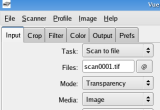
Linux > Free Download VueScan 9.1.03

The world's most widely used scanning software, used by photographers, home users and corporations.
VueScan lets you get the most out of your scanner with its advanced features and powerful functions. VueScan is the world's most widely used scanning software, used by photographers, home users and corporations.

VueScan makes your existing scanner work as well as a new one, is quick and easy to use, and you can continue using it if you buy a new scanner.

It can be downloaded in a few minutes and fully tested for free before you purchase it.

VueScan supports more than 500 scanners and 185 digital camera raw files.

VueScan changes nothing on your system, installs nothing in your operating system and all other scanner software will continue to function. You can purchase VueScan at any time and instantly get a serial number that disables image watermarking.

You can improve your Optical Character Recognition (OCR) results if you download a dictionary containing common US English, French, Dutch and UK English words. Put this file (vuedict.dat) in the same directory as the VueScan program. You can choose the language using the "Output|OCR text language" option.


Product's homepage
What's New in This Release: [ read full changelog ]

· Added more modern PDF library (PoDoFo)
· Can append pages to existing PDF file (Output | PDF multi page)
· Puts 'Output | Copyright' option into PDF Author field
· Puts 'Output | Description' option into PDF Title field
· Handles non-English text in PDF Author and Title fields
· Handles up to 10,000 page PDF files
· Much faster when creating multi-page PDF files
· If scanner hangs, can restart PDF scan without losing pages
· 'Output | PDF OCR text' will be implemented in next release

Download via Softpedia.com 

Linux > Free Download MSS Code Factory 1.11.4088

A general purpose code generator that translates an XML application model to source code
MSS Code Factory is a general purpose code generator that translates an XML application model to source code. It comes with an Hibernate3/XDoclet2 and RDBMS rule cartridge.

Product's homepage
What's New in This Release: [ read full changelog ]

· In this versiion, the SAX Loader attempts to provide a general-purpose database initialization and update utility for the majority of business application models.
· The rules have been enhanced to produce AlternateIndex support when a LookupIndex isn't specified for a modelled object table.
· The loaders produced are not capable of dealing with something as complex as the BAM, but are suitable for the data persistence test framework implementation and for priming and updating databases which don't use self-referencing hierarchical data structures (dot-name trees.)


Download via Softpedia.com

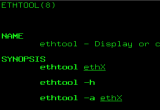
Linux > Free Download ethtool 3.4.1

A Linux net driver diagnostic and tuning tool for the Linux 2.4.x (or later) series of kernels
ethtool is a Linux net driver diagnostic and tuning tool for the Linux 2.4.x (or later) series of kernels. You can obtain information and diagnostics related to media, link status, driver version, PCI (or other) bus location, and more.


Product's homepage
What's New in This Release: [ read full changelog ]

· This version adds a "--version" option, reporting of driver features ("-i"), reporting of supported pause frame modes and of 20G link modes, firmware dumps ("-w" and "-W"), external loopback tests ("-t"), reporting and configuring the number of channels/queues ("-l" and "-L") and time stamping capabilities ("-T"), reporting of pause frame autonegotiation results ("-a"), support for querying and setting all generic net device features ("-k" and "-K") and private flags, dumping of plugin module EEPROM ("-m"), and much more.
· Various bugs have been fixed.
· Documentation improvements have been made.

 Download via Softpedia.com

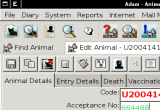
Linux > Free Download Animal Shelter Manager 3.0.2

Animal Shelter Manager is a complete computer solution for animal sanctuaries, rescue shelters, and veterinary surgery clinics.
Animal Shelter Manager is a complete computer solution for animal sanctuaries, veterinary surgery clinics, and rescue shelters.

It's Free! It Must Be Bad!

No! ASM is an industrial strength piece of software that thousands of shelters rely on to operate their organisations every day. It utilises other free software, such as the award-winning MySQL database engine for managing information and it is extremely feature rich and capable of managing almost all aspects of a shelter environment.

Free software packages are often far superior to their commercial counterparts for the simple fact that the people who build free software have no other incentive than the desire to do it, and care very much about what they are doing. Developers of commercial software do it purely for money and are often under tight deadlines, producing mediocre software that lacks the care and attention to detail of free packages.

For example, MySQL is one of the most popular relational database engines in the world, most of the internet runs on the Apache webserver and the majority of internet email is exchanged by the SendMail program - all of which are free software. There are countless such examples (eg: PHP, Python and of course Linux.

ASM was born out of an ideal that management software for shelters should be free. Four years ago, my local shelter asked if I could help them - they were drowning in administration and they could not find a good computer package to help them. A number of US-specific packages existed, but they were expensive, and those that weren't were extremely poor. So I started designing and coding, implementing in a computer program what they needed. I put up the program on the internet to let other shelters try it, and to my surprise more shelters started to use this program and tell me what they wanted.

Then people contacted me from the US, Australia and Canada. ASM then grew to accomodate the additional needs of those countries. I was delighted to hear computer science students around Europe have used ASM as the subject of coursework, and as an example of how to write a large scale management package well.

Now we get to today, and what started out as a little program is now a complete management system, built from the ideas and needs of shelters all over the world.


Product's homepage
Here are some key features of "Animal Shelter Manager":

Animals:

· Track animals through the shelter and outside world with ease throughout their lifetime
· Manage and remind for vaccinations, surgery and medical treatments
· Manage animal diets
· Move, induct, adopt, transfer and foster animals with donation tracking
· Keep track of animals not part of your shelter for independent clinics
· Manage agreements with insurers for automatic number ranges and generation of insurance paperwork automatically
· Advanced media facilities allow attachment of full multimedia and documentation to animals - ditch reams of paperwork!
· Generate paperwork automatically - interfaces to a wide range of word processors, including Microsoft Word, Microsoft Works, AbiWord, OpenOffice, StarOffice and any wordprocessor supporting XML, HTML and Rich Text.
· Waiting list facilities including urgency updating/tracking
· Animal litter management, automatically watches litter members leaving the shelter and completes them on correct days. Removes headaches generating accurate litter figures
· Full medical tracking and management
· Flexible logging allows extension to store any type of data (bite reports, etc.)

Diary:

· Full management diary system
· Create ranges of diary tasks for common functions and execute them against animals
· Output individual diary reports for everyone
· Diary integrates into all record types
· Vet management diaries
· Complete medical diary system, including scheduling, multiple treatments, etc.

Owners:

· Track owners and suitability for ownership
· Full entity management, track other shelters, pet stores, etc.
· Warning messages for unsuitable owners
· Store owners desired criteria and automatically be notified when suitable animals arrive
· Track volunteers
· Store criteria for suitable animals for owners and auto generate suitability reports
· Track animal movement histories to owners
· Owner media
· Bulk mailshotting of owners through printed documents or email
· Full donation management, including regular commitments
· Flexible logging allows extension to store any type of data (complaints, etc.)

Internet:

· Generate full-featured, fully customisable websites publishing animals for adoptions - widen your audience. One site successfully rehomed six of their longest-term animals in just two months to owners from all over the country and receive many enquiries from the internet site.
· Automatic search engine generation
· Publishing and uploading to the internet can be done completely by ASM without the need for FTP clients - just answer a few simple questions and your site will be uploaded for you.
· Fully compatible with free hosted webspace - no expensive servers required
· Publish straight to PetFinder.com and Pets911.com for US users - complete with all data mappings
· Non-interactive publishing through a command line interface allows scheduled jobs to automatically generate and upload your website every day.

Mail Merge:

· Create filtered data sources for mailshots, eg. Locating animals off shelter who require vaccinations
· Create bulk data sources, filter and email automatically
· Generate printed letters for mailshots, convert to HTML/RTF and send via email or generate individual document files

Lost and Found:

· Track and store lost and found animals
· Find potential lost and found matches with an intelligent matching engine
· Include shelter animal database as potential found matches
· Lost and found media
· Publish lost and found to the internet

Reports:

· Full ranges of management reports
· Shelter Inventories
· Movement analysis
· Long Term Animals
· Animal auditing
· Automatic RSPCA Head Office figures generation for UK RSPCA shelters
· Flexible report generation - all reports are handled as HTML to integrate with the web browser of your choice, and to allow editing with many popular office products and direct emailling.
· All reports are fully customisable, using templates and cascading style sheets.
· Custom report creation tool allows you to generate your own reports - much more advanced than commercial tools (eg: Crystal Reports, ReportSmith), allowing SQL preprocessor instructions, group tags, ability to request criteria from users, etc.
· Animal Shelter Manager has its own built in web browser with advanced scaling/printing facilities to ensure that what you get on paper is exactly what you wanted. In addition, all reports are compliant to the HTML 3.2 standard and compatible with any web browser (Internet Explorer, Netscape, Mozilla, Opera, etc.)
· Generate high quality, full colour graphs of management information, financials and adoption figures

Security:

· Create many users and control exactly what each can do
· Audit user actions to find out who did what
· Highly configurable - most areas of the system can be customised, including warning behaviour, report visuals - even database locking.

Requirements:

· MySQL
· Java 2 Standard Edition Runtime Environment

What's New in This Release: [ read full changelog ]

· This release contains bug fixes and some improvements to the adoptapet.com publisher.

Download via Softpedia.com 
Linux > Free Download Airtime 2.1.1

Open source radio software for scheduling, automation and remote station management.
Airtime allows as many people as you like to run it over the internet. Manage the audio archive, upload files, construct playlists, create shows, edit the Programme Calendar and cue playout, all through an intuitive modern interface with a streamlined DJ workflow.

Plus, it's open source, free and really easy to use.


Product's homepage
What's New in This Release: [ read full changelog ]

· Airtime now includes live stream rebroadcasting, which allows remote broadcasters to connect to Airtime via tools such as Mixxx or Virtual DJ.
· Airtime will rebroadcast the stream, either at a set time or in the middle of an existing broadcast with a smooth transition.
· DJs can now edit their automated shows in realtime, even while they're on air.
· Last second schedule changes, such as moving or adding a track, are performed with a drag-and-drop movement using the Web interface.
· A Playout Log detailing the tracks played is now available.

 Download via Softpedia.com

Selasa, 22 Mei 2012

Linux > Free Download OpenBSD Network Shell 20120521

Nsh is intended to handle configuration for interfaces, bridging, routing, packet filtering, NAT, and ISAKMP.
NSH is intended to handle configuration for interfaces, bridging, routing, packet filtering, NAT, and ISAKMP. It presents the user with a vaguely cisco-like interface.

It also gives the user access to system information and diagnostics. NSH replaces the userland commands which handle these functions, and talks directly to the OpenBSD kernel (with exceptions for pfctl, isakmpd, and dhcpd).

NSH is completely free, it only incorporates code with BSD-style licenses.

The current version fixes bugs from the last release and brings NSH up to speed for OpenBSD 3.7 and 3.7-current.

For the next major release, I'm planning on some IPsec, OSPF, BGP, and DHCP functionality, and possibly ping and other functions. (Also, a rework of the CLI code might happen) The CLI is functional for information/diagnostics, and configuration of pf/nat/altq, interfaces, bridging, and routing.

What's New in This Release:

· Command completion for first level and most second level commands.
· ftp-proxy, sshd, and inetd handlers (no options yet, just on/off) and a resolv.conf handler (with local-control or dhcp-control.) Various bugfixes.
· Daemon controls including SSH, NTP, BGP, and OSPF are now production-tested and considered reliable.


Product's homepage


Site Download Here

Linux > Free Download NoMachine NX Client 3.5.0-9

NoMachine NX is a fast terminal server system based on the X11 protocol.
NoMachine NX is a fast terminal server system based on the X11 protocol. In addition, NX also translates and embeds the MS Windows Terminal Server and VNC protocols into X/NX. NX is an order of magnitude faster than VNC or X11 and can run on bandwidth as narrow as 10 kBit/sec.

By embedding RDP and RFB, it enables users to compress and accelerate remote Windows and VNC sessions. NX lets you work fluently even across slow links like modems.

The NX project provides a suite of libraries and X11 proxying agents implementing efficient compression and optimized transport of X11, SMB, IPP, HTTP, and arbitrary protocols like audio over the Internet.

What's New in This Release:

· This version provides fixes for a number of issues such as possible failure of copy and paste operations when the session is run from NX Client for Windows and where the .nxs session files may not have been correctly associated to the NX Client application on Ubuntu 8.04.


Product's homepage
What's New in This Release: [ read full changelog ]

· The NX session could appear frozen if it is displayed in full screen mode.
· The auto-repeat feature can not be disabled on NX Client for Windows.
· The session may fail with error 'Can't determine the location of the X display socket'.
· Information about SMB/CIFS sharing failures may not be reported correctly
· Difficulties may arise when typing acute and grave signs due to missing support for us_intl keyboard layout.

Site Download Here 

Linux > Free Download HAproxy 1.4.21 / 1.5-dev10

A high performance Web load balancer
HA-Proxy is a TCP/HTTP reverse proxy which is particularly suited for high
availability environments. Indeed, it can :

- route HTTP requests depending on statically assigned cookies ;
- spread the load among several servers while assuring server persistence through the use of HTTP cookies ;
- switch to backup servers in the event a main one fails ;
- accept connections to special ports dedicated to service monitoring ;
- stop accepting connections without breaking existing ones ;
- add/modify/delete HTTP headers both ways ;
- block requests matching a particular pattern ;

It needs very little resource. HAproxy it is event-driven architecture allows it to easily
handle thousands of simultaneous connections on hundreds of instances without risking the system's stability.

Start parameters

There are only a few command line options :

-f < configuration file >
-n < high limit for the total number of simultaneous connections >
-N < high limit for the per-proxy number of simultaneous connections >
-d starts in foregreound with debugging mode enabled
-D starts in daemon mode
-q disable messages on output
-V displays messages on output even when -q or 'quiet' are specified.
-c only checks config file and exits with code 0 if no error was found, or exits with code 1 if a syntax error was found.
-p < pidfile > asks the process to write down each of its children's pids to this file in daemon mode.
-s shows statistics (only if compiled in)
-l shows even more statistics (implies '-s')

The maximal number of connections per proxy is used as the default parameter for each instance for which the 'maxconn' paramter is not set in the 'listen' section.

The maximal number of total connections limits the number of connections used by the whole process if the 'maxconn' parameter is not set in the 'global' section.

The debugging mode has the same effect as the 'debug' option in the 'global' section. When the proxy runs in this mode, it dumps every connections, disconnections, timestamps, and HTTP headers to stdout. This should NEVER be used in an init script since it will prevent the system from starting up.

Statistics are only available if compiled in with the 'STATTIME' option. It's only used during code optimization phases.

Product's homepage
What's New in This Release: [ read full changelog ]

· http_auth_group was broken in dev9, and would only validate users without checking groups.
· The connection's destination address could not be fetched anymore, breaking dst ACL and transparent mode, among other things. "timeout tunnel" has been added for easier WebSocket configuration.
· A rework of the poller has brought a global performance increase of up to around 10%. Users of 1.5 should not use 1.5-dev9, and should switch to -dev10 instead.

Site Download Here 

Linux > Free Download Armadillo 3.2.0

A C++ linear algebra library
Armadillo, a C++ linear algebra library, aims at providing a good balance between speed and ease of use. Integer, floating point and complex numbers are supported, as well as a subset of trigonometric and statistics functions. Various matrix decompositions are provided through optional integration with LAPACK and ATLAS libraries.

A delayed evaluation approach is employed (during compile time) to combine several operations into one and reduce (or eliminate) the need for temporaries. This is accomplished through recursive templates and template meta-programming.

This library is useful if C++ has been decided as the language of choice (due to speed and/or integration capabilities), rather than another language like Matlab ® or Octave. It is distributed under a license that is useful in both open-source and commercial contexts.

Armadillo can work without external libraries. However, to get the most functionality it's recommended to also install the ATLAS, BLAS and LAPACK libraries, as well as Boost libraries, along with the corresponding development/header files. These libraries and development files may already be installed on your system.
Recommended packages for Fedora: cmake, blas-devel, lapack-devel, atlas-devel, boost-devel. You may also want to install ATLAS packages that are specific for your system, e.g. atlas-sse2.
Recommended packages for Ubuntu: cmake, libblas-dev, liblapack-dev, libatlas-base-dev libboost-dev, libboost-date-time-dev. You may also want to install ATLAS packages that are specific for your system, e.g. libatlas-sse2-dev.


Product's homepage
What's New in This Release: [ read full changelog ]

· fixes for inplace transpose of complex number matrices
· fixes for complex number version of svd_econ()
· fixes for potential aliasing issues with submatrix views

Site Download Here 

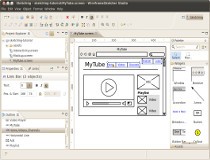
Linux > Free Download WireframeSketcher 3.6.0

A software tool that helps you quickly create wireframes, mockups and prototypes for desktop, web and mobile applications
WireframeSketcher is a software tool that helps you quickly create wireframes, mockups and prototypes for desktop, web and mobile applications.

WireframeSketcher comes both as a plugin for your Eclipse-based IDE and a standalone application for Windows, Mac OS X and Linux.


Product's homepage
Requirements:

· Java 2 Standard Edition Runtime Environment

What's New in This Release: [ read full changelog ]

· Added Distribute Centers actions
· Added new Android 4.0 stencil
· Added new Touch Gestures stencil
· Added background color property for Browser widget
· Added neutral sort icon
· Added multi-term search in Palette and Quick Add dialogs
· Improved colors in TabbedPane widget by reverting colors of selected and background tabs
· Improved text antialiasing on Windows
· Improved automatic sizing of embedded icons in text
· Improved Windows installer to automatically uninstall previous version
· Improved error reporting in export dialogs
· Improved support for RTL orientation
· Fixed save to avoid data loss on errors
· Fixed the issue with invalid characters when copying & pasting from external programs

Site Download Here 

Sabtu, 19 Mei 2012

Linux > Free Download The Mesa 3D Graphics Library 8.0.3

Mesa is a 3-D graphics library with an API which is very similar to that of OpenGL.
Mesa is a 3-D graphics library with an API which is very similar to that of OpenGL. To the extent that Mesa utilizes the OpenGL command syntax or state machine, it is being used with authorization from Silicon Graphics, Inc.(SGI). However, the author does not possess an OpenGL license from SGI, and makes no claim that Mesa is in any way a compatible replacement for OpenGL or associated with SGI. Those who want a licensed implementation of OpenGL should contact a licensed vendor.

Please do not refer to the library as MesaGL (for legal reasons). It's just Mesa or The Mesa 3-D graphics libraryand that's all.

Product's homepage
What's New in This Release: [ read full changelog ]

· Support for many new OpenGL extensions, including: GL_ARB_ES2_compatibility, GL_ARB_color_buffer_float, GL_ARB_draw_buffers_blend, GL_ARB_draw_instanced, GL_ARB_instanced_arrays, GL_ARB_occlusion_query2, GL_ARB_robustness, GL_ARB_sampler_objects, GL_ARB_seamless_cube_map, GL_ARB_shader_texture_lod, GL_ARB_sync, GL_ARB_texture_compression_rgtc, GL_ARB_texture_float, GL_EXT_packed_float, GL_EXT_texture_compression_latc, GL_EXT_texture_compression_rgtc, GL_EXT_texture_filter_anisotropic, GL_EXT_texture_shared_exponent, GL_EXT_texture_sRGB_decode, GL_EXT_texture_snorm, GL_AMD_draw_buffers_blend, GL_AMD_seamless_cubemap_per_texture, GL_AMD_shader_stencil_export, GL_ATI_draw_buffers, GL_ATI_texture_compression_3dc, GL_ATI_texture_float, GL_NV_conditional_render, and GL_NV_texture_barrier. Most of these new extensions are implemented for the Gallium3D drivers, but some of them are brought to the i965 driver (the Intel driver that supports from the 965 series through the latest Sandy Bridge hardware) and also the software rasterizer.

· Of the new OpenGL extensions in Mesa 7.11, some are for supporting OpenGL 3.0, but the overall support requirements are still not met. The OpenGL 3.0 requirements are a whole lot closer to being met with the changes made since Mesa 7.10, but there is still work to be done in bringing up GLSL (GL Shading Language) 1.30 support, depth format cube textures, GLX_ARB_create_context, and various other features. This work could possibly be completed by next January when Mesa 7.12 is due, and if that is the case, it will be released as Mesa 8.0 when GL3 support is complete.

· Mature Intel Sandy Bridge support. The Intel Sandy Bridge (HD 3000) graphics support has been improved a lot since its January launch. Intel SNB graphics are much faster and more stable in Mesa 7.11, as a number of Phoronix articles have shown in recent months.

· There is also initial support for Intel Ivy Bridge within Mesa 7.11. Ivy Bridge is the Sandy Bridge successor that's expected to be released by the end of the calendar year, but initial support for IVB graphics are already in place within Mesa, the xf86-video-intel DDX, and the Linux kernel to ensure a better "out of the box" experience this time around.

· AMD Llano Fusion graphics are now supported by the open-source driver, though there are some kernel problems.

· AMD Radeon HD 6900 "Cayman" graphics card support in the R600 Gallium3D driver.

· The ATI R600 Gallium3D driver is now built by default, which is used on all Radeon ASICs from the HD 2000 through HD 6000 series, including the Fusion APUs. The R600 Gallium3D driver replaces the classic Mesa DRI driver for the same hardware.

· GLSL compiler improvements.

· OpenGL floating-point textures support. This feature, however, must be configured to be enabled (it's disabled by default) at build-time since this implements patented IP.

· Intel Gallium3D driver improvements. Google contributed a number of improvements to the i915 Gallium3D driver, which is not officially supported by Intel, but is used by Google on their Chromebooks.

· Better Nouveau driver support, including some performance optimizations and better support for NVIDIA GeForce 400/500 "Fermi" graphics cards via the Nouveau "NVC0" driver.

· Many bug-fixes.

Site Download Here 

Linux > Free Download AutoNetkit 0.6.0-20120517

Automated configuration generator for Netkit
AutoNetkit is a software for creating Netkit configurations.

Dependencies:

AutoNetkit requires the following modules: netaddr, mako, networkx, pydot, pyparse, graphviz and pexpect.

These can be installed using:

sudo easy_install netaddr
sudo easy_install mako
sudo easy_install networkx
sudo easy_install pydot
sudo easy_install pyparsing
sudo easy_install pexpect


for plotting you will need graphviz. On Linux this can be installed as:

    sudo apt-get install graphviz     
   
Configuring:

A sample AutoNetkit lab can be found in the labs folder. This lab will create a small internet of 3 Autonomous Systems, with a number of routers in each. These routers are connected. This lab is then plotted.

The lab also can be deployed. For deployment, you must provide the details of your Netkit host machine. This can either be the same machine or a different machine.

The settings required are the address of the machine (use "localhost" if you are running Netkit on the same machine as AutoNetkit), your username to log into the machine (using ssh), and your password.
                   
For example:

host = "netkithost.adelaide.edu.au"
username = "sknight"
password = "12345"                                       

or if running on the same machine:

host = "localhost"
username = "sknight"
password = "12345"  


You can then deploy the lab using:

myNetkit.deploy(myInternet)

Running:

Once you have configured your lab, you can start AutoNetkit using:

python AutoNetkit.py

If you wish to specify your lab in a different configuration file, eg myLab.txt, use the following command:

./AutoNetkit.py -f labs/myLab.txt

And you should see output such as:
INFO   Loading network from labs/myLab.txt
INFO   Compiling configuration for AS1
INFO   Compiling configuration for AS2
INFO   Compiling configuration for AS3
INFO   Connecting to netkithost.adelaide.edu.au
INFO   Connected to netkithost.adelaide.edu.au
INFO   Halting previous lab
INFO   Copying Lab over
INFO   Checking all previous machines shutdown
INFO   Some hosts still running, retrying in 5 seconds
INFO   All previous machines shutdown, starting lab
INFO   Starting r1B (1/10)
INFO   Starting r1C (2/10)
INFO   Starting r1A (3/10)
INFO   Starting r1D (4/10)
INFO   Starting r1E (5/10)
INFO   Starting r2A (6/10)
INFO   Starting r3A (7/10)
INFO   Starting r3B (8/10)
INFO   Starting r3C (9/10)
INFO   Starting r3D (10/10)
INFO   Finished starting Lab, 10 machines started
Lab generated in 28.14 seconds


Product's homepage
Requirements:

· Python

Site Download Here 

Linux > Free Download acrylamid 0.3.3

Yet another static blog generator
acrylamid is yet another lightweight static blogging app written in Python and designed to get a high quality output. Its licensed under BSD Style, 2 clauses.

Quickstart

pip install acrylamid

You'll need python, jinja2 and either markdown (default) or docutils. For nicer urls also translitcodec is required. pygments and asciimathml for colored code listings respectively MathML. Full-featured installation do:

pip install docutils translitcodec pygments asciimathml

Get acrylamid and edit conf.yaml and layouts/. Run acrylamid with:

$> acrylamid init myblog
 create myblog/content/
 ...
$> cd myblog/
$> acrylamid gen
 warn using mtime from
 create '/articles/index.html', written to output/articles/index.html
 create 'Die Verwandlung', written to output/2011/die-verwandlung/index.html
 create '/atom/index.html', written to output/atom/index.html
 create '/rss/index.html', written to output/rss/index.html
 create '/', written to output/index.html


Using acrylamid

output/
├── 2011/
│ └── a-meaningful-title/
│ └── index.html
├── articles/
│ └── index.html
├── atom/
│ └── index.html
├── rss/
│ └── index.html
└── index.html


Filters

- markdown: rendering Markdown (+asciimathml,pygments)
- rest: reStructuredText (+pygments)
- typography: https://code.google.com/p/typogrify/ (and custom modifications)
- summarize: summarizes posts to 200 words
- hyphenation: hyphenate words (len > 10) based on language
- head_offset: decrease headings by offset

Views

- articles: articles overview
- entry: renders single entry to given slug
- index: creates pagination / and /page/:num
- feeds: valid atom/rss feed

Product's homepage
Here are some key features of "acrylamid":

· blog articles, pages and rss/atom feeds
· theming support (using jinja2)
· Markdown and reStructuredText as markup languages
· MathML generation using AsciiMathML
· hyphenation using ­
· modern web-typography

Requirements:

· Python

Site Download Here 

Selasa, 15 Mei 2012

Linux > Free Download gnome-panel 3.4.2

gnome-panel contains the GNOME panel which is the area on your desktop.
gnome-panel package is free software and is part of the GNOME 2.0 project.

The package contains the GNOME panel which is the area on your desktop from
which you can run applications and applets, and perform other tasks.

The libpanel-applet library is also in this package. This library allows one to
develop small applications which may be embedded in the panel. These are called
applet.

Several applets are also supplied - the Workspace Switcher, the Window List,
the Window Selector, the Notification Area, the Clock and the infamous 'Wanda
the Fish'.

There is a page about gnome-panel on the GNOME Wiki: http://live.gnome.org/GnomePanel

desktop-devel-list@gnome.org is the relevant mailing list: http://mail.gnome.org/mailman/listinfo/desktop-devel-list

To subscribe, send a mail to desktop-devel-list-request@gnome.org with the subject "subscribe".

Product's homepage
What's New in This Release: [ read full changelog ]

Panel:
· Use new GTK bookmarks location if using GTK+ >= 3.5.1 (Vincent)

Translators:
· Mark KwidziÅ„sczi (csb)

Site Download Here 

Linux > Free Download File Roller 3.4.2

An archive manager for GNOME.
File Roller project is an archive manager for the GNOME environment.

Archive manager means that you can:

-Create and modify archives.
-View the content of an archive.
-View a file contained in the archive.
-Extract files from the archive.

File Roller is only a front-end (a graphical interface) to archiving programs like tar and zip.

The supported file types are :

-Tar archives uncompressed (.tar) or compressed with

-gzip (.tar.gz , .tgz)
-bzip (.tar.bz , .tbz)
-bzip2 (.tar.bz2 , .tbz2)
-compress (.tar.Z , .taz)
-lzop (.tar.lzo , .tzo)

-Zip archives (.zip)
-Jar archives (.jar , .ear , .war)
-Lha archives (.lzh)
-Rar archives (.rar)
-Single files compressed with gzip, bzip, bzip2, compress, lzop

File Roller has a document viewer based on bonobo that lets you view files of any type you have a viewer for.

Product's homepage
What's New in This Release: [ read full changelog ]

New or updated application translations:
· Greek (Tom Tryfonidis)
· Japanese (Takayuki KUSANO)

Site Download Here 

Linux > Free Download MediterraneanNight 1.08 Gnome Theme

A Adwaita cupertino modification
MediterraneanNight is a GTK theme, a variation of Adwaita cupertino, with dark colors.

Icons theme used: Faenza Darkest

How to install?

http://news.softpedia.com/news/How-to-Install-GNOME-Themes-in-Ubuntu-11-10-231213.shtml

About GNOME:

GNOME is an international effort to build a complete desktop environment—the graphical user interface which sits on top of a computer operating system—entirely from free software. This goal includes creating software development frameworks, selecting application software for the desktop, and working on the programs which manage application launching, file handling, and window and task management.

GNOME is part of the GNU Project and can be used with various Unix-like operating systems, most notably Linux, and as part of Java Desktop System in Solaris.

The name originally stood for GNU Network Object Model Environment, though this acronym is deprecated. The GNOME project puts heavy emphasis on simplicity, usability, and making things “just work”.


Product's homepage
Requirements:

· GTK+
· GNOME
· Murrine GTK+ engine

What's New in This Release: [ read full changelog ]

· Fix bug reported by marcinekmk "in Nautilus when I manually enter path (Ctrl+L) the background of selected chars is the same as unselected"
· By the way ... Added two options tabs, tabs_themed.css and tabs_dark.css (now default)

Site Download Here 

Linux > Free Download etherws 0.1

Ethernet over WebSocket tunneling server/client
etherws is an implementation of Ethernet over WebSocket tunnel based on Linux Universal TUN/TAP device driver.

Usage

For example, if you want to make virtual ethernet link for VM1 and VM2 whose hypervisor's broadcast domains were split by router R:

+------------------+ +------------------+
| Hypervisor1 | | Hypervisor2 |
| +-----+ | | +-----+ |
| | VM1 | | | | VM2 | |
| +--+--+ | | +--+--+ |
| | (vnet0) | | (vnet0) | |
| +--+--+ | | +--+--+ |
| | br0 | | | | br0 | |
| +--+--+ | | +--+--+ |
| | | | | |
| (ethws0) (eth0) | | (eth0) (ethws0) |
+----||--------+---+ +----+-------||----+
 || | +---+ | ||
 || -----+--------| R |--------+----- ||
 || +---+ ||
 || ||
 ``======================================''
 (Ethernet over WebSocket tunnel)


then you can type following commands.

on Hypervisor1:

# etherws server
# brctl addbr br0
# brctl addif br0 vnet0
# brctl addif br0 ethws0
# ifconfig br0 up


on Hypervisor2:

# etherws client --uri ws://< Hypervisor1's IP address >/
# brctl addbr br0
# brctl addif br0 vnet0
# brctl addif br0 ethws0
# ifconfig br0 up


Product's homepage
Requirements:

· Python

Site Download Here 

Linux > Free Download Gnome Tweak Tool 3.4.0.1

A tool to customize advanced GNOME 3 options
Gnome Tweak Tool is a tool to customize advanced GNOME 3 options.

Product's homepage
Here are some key features of "Gnome Tweak Tool":

· Install and switch gnome-shell themes
· Switch gtk/icon/cursor themes
· Switch window manager themes
· Change

· The user-interface and titlebar fonts
· Icons in menus and buttons
· Behavior on laptop lid close
· Shell font size
· File manager desktop icons
· Titlebar click action
· Shell clock to show date
· Font hinting and antialiasing

Requirements:

· GNOME

What's New in This Release: [ read full changelog ]

· Translation updates
· Fix user-theme shell extension support (Giovanni Campagna, bug 675106) NOTE: this requires pygobject >= 3.2.1
· Support workspaces only on primary
· Support static workspaces
· Change widget for text-scaling-factor to SpinButton
· Add nautils always-use-location-entry
· Change widget for text-scaling-factor to SpinButton (Robin Stocker, bug 650660)
· Don't crash on missing schemas (bug 647132)

Site Download Here 

Linux > Free Download Glsof 2.0

Lsof interface

Glsof is a user interface for lsof.


It's developed with C language (under GNU General Public License), and use gconf, libglade and libgnome/ui.


Product's homepage
Here are some key features of "Glsof":


· Lists for single process, separated in queries.
· Manage for queries.
· Manual save of output, or automatically with autorefresh/save.
· Autosearch for lsof bin.
· Multi-languages support (gettext).
· Popupmenu for general control on single query.


Requirements:


· gtk+
· GConf
· libglade
· libgnomeui
· libgnome


What's New in This Release: [ read full changelog ]


· Filemonitor 2.0 is a particularly important release as it lets you monitor your remote systems now. The only thing you have to do is to run “remote-lsof” on the machine you want to monitor and configuring Filemonitor with a “Preference” pointing to the remote machine. Please read documentation for more info about setting up remote configuration.


Site Download Here 

Senin, 14 Mei 2012

Linux > Free Download Linux Kernel 3.4 RC7

Linux Kernel is the core of the Linux operating systems.
Linux Kernel is the essential part of Linux, responsible for resource allocation, low-level hardware interfaces, security, simple communications, and basic file system management.

Linux is a clone of the operating system Unix, written from scratch by Linus Torvalds with assistance from a loosely-knit team of hackers across the Net. It aims towards POSIX and Single UNIX Specification compliance.

It has all the features you would expect in a modern fully-fledged Unix, including true multitasking, virtual memory, shared libraries, demand loading, shared copy-on-write executables, proper memory management, and multistack networking including IPv4 and IPv6.

Although originally developed first for 32-bit x86-based PCs (386 or higher), today Linux also runs on (at least) the Compaq Alpha AXP, Sun SPARC and UltraSPARC, Motorola 68000, PowerPC, PowerPC64, ARM, Hitachi SuperH, IBM S/390, MIPS, HP PA-RISC, Intel IA-64, DEC VAX, AMD x86-64, AXIS CRIS, and Renesas M32R architectures.

Linux is easily portable to most general-purpose 32- or 64-bit architectures as long as they have a paged memory management unit (PMMU) and a port of the GNU C compiler (gcc) (part of The GNU Compiler Suite, GCC). Linux has also been ported to a number of architectures without a PMMU, although functionality is then obviously somewhat limited. See the �Clinux project for more info.

Product's homepage
What's New in This Release: [ read full changelog ]

· So the subject says it all. It's been two weeks(+a day), and 3.3-rc1 is now out.

· There are a couple of trees I haven't merged on purpose, and there may
· be a few trees I overlooked by mistake. The "on purpose" ones were
· things that looked unfamiliar and I felt I didn't have the bandwidth
· to check. The "mistake" ones would just be things I missed due to
· being busy.

· And it really was a pretty busy merge window. I don't know *why* it
· felt so busy, though. In pure numbers, the merge window seems to have
· been pretty normal - the number of merges and regular commits are
· right where you'd expect them. Part of it was spending what felt like
· (and I think was) a couple of days chasing down two independent
· suspend/resume regressions on my laptop, part of it was a couple of
· just bad pull requests, and some of it was some of the independent
· discussions that were on-going. But none of that is unheard of, so
· what do I know..

· Anyway, it's out now, and I'm taking off early for a weekend of beer,
· skiing and poker (not necessarily in that order: "don't drink and
· ski"). No email.

· So if you felt that your pull request was overlooked by mistake (or
· intentionally, but really not so scary that you think I should have a
· really easy time checking it), you have a couple of days to marshal
· your arguments for why I should pull it after all.

· And if you didn't send your pull request in time: "Phhhthrthtpt!". No
· arguments for that one.

· (Stats for those that like them: 20% arch updates (arm, power, mips,
· x86), 60% drivers (networking - wireless in particular, staging,
· media, dri, sound, misc - including getting rid of 'struct sysdev'),
· and 20% random stuff: filesystems, networking, perf etc)

Site Download Here